AI 影片 Shot Size:10 種常用景別一次看懂

2026-10-14 Author by Even
AI 影片 Shot Size:10 種常用景別一次看懂
01 前言

Shot Size 是什麼?為什麼先學它?

在 AI 影片生成裡,Shot Size(景別)決定的是「畫面要看到多少主體與環境」。你不指定,模型就自己決定,結果每次生成的人物大小都不一樣。

規則很簡單:

  • 景別越近,越強調表情、材質與細節。
  • 景別越遠,越強調人物與空間、環境與規模。

02 Shot Size 對照表

10 種景別快速對照表

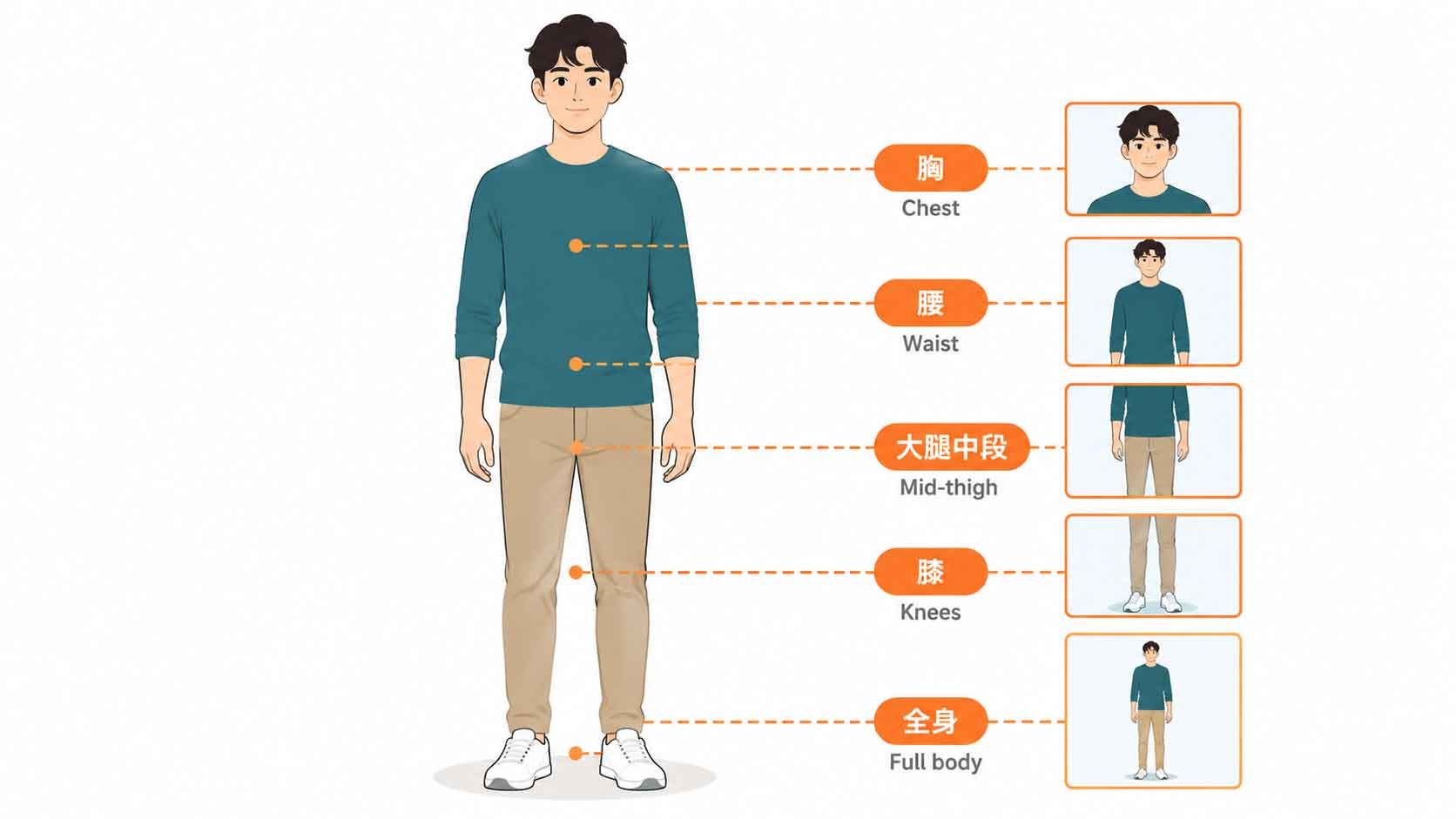
Shot Size 景別 畫面範圍 最適合呈現
Extreme Close-Up 極特寫 局部細節 眼睛、按鍵、晶片、材質
Close-Up 特寫 頭部與肩膀 表情、產品重點
Medium Close-Up 中近景 胸部以上 訪談、人物形象
Medium Shot 中景 腰部以上 手勢、人物互動
Medium Wide Shot 中遠景 膝蓋以上 人物加環境
Cowboy Shot 牛仔鏡頭 大腿中段以上 英雄感、人物姿態
Full Shot 全身鏡頭 頭到腳 完整人物動作
Wide Shot 遠景/廣景 人物加大量環境 場景、空間關係
Extreme Wide Shot 極遠景/大遠景 人物很小 規模感、世界觀
Establishing Shot 場景建立鏡頭 整體環境 交代故事發生地點
03 說明

10 種景別逐一拆解(附 Prompt)

以下以 Midjpurney Prompt 都以同一位資料中心工程師為例。

1. Extreme Close-Up|極特寫

只拍一小塊局部:想呈現精密感與質感,眼睛、嘴唇、手指、按鍵、晶片、Logo、金屬材質都很適合。
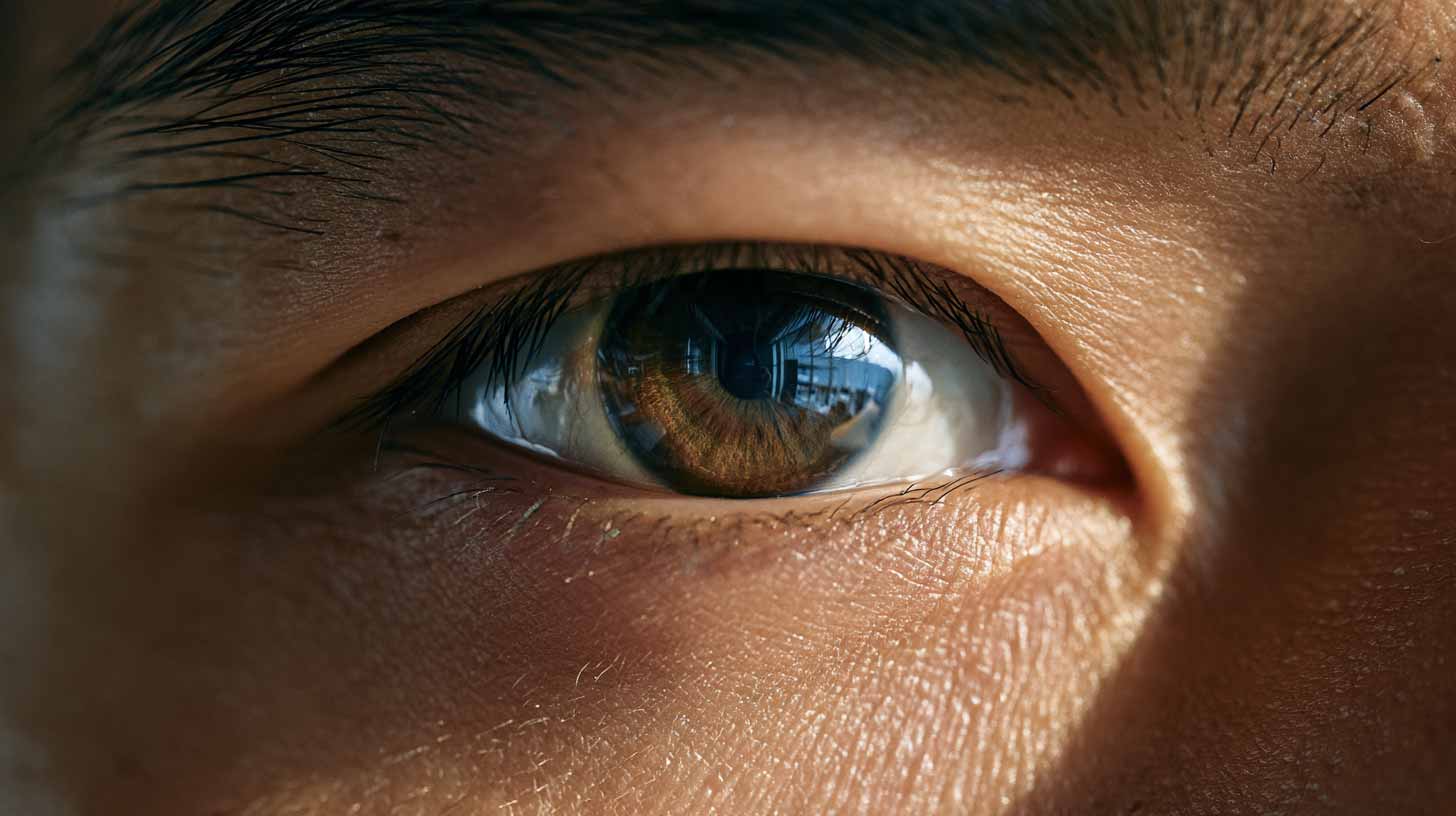
extreme close-up of a professional Asian data center engineer's eye, subtle reflections of AI GPU server racks visible in the pupil, only a small portion of the face visible, highly detailed skin texture, macro perspective, ultra shallow depth of field, photorealistic --ar 16:9 --stylize 100

2. Close-Up|特寫

人物以頭部與肩膀佔滿畫面,產品則讓單一主體填滿大部分畫面。觀眾的注意力會集中在表情、情緒、設計與品牌細節。
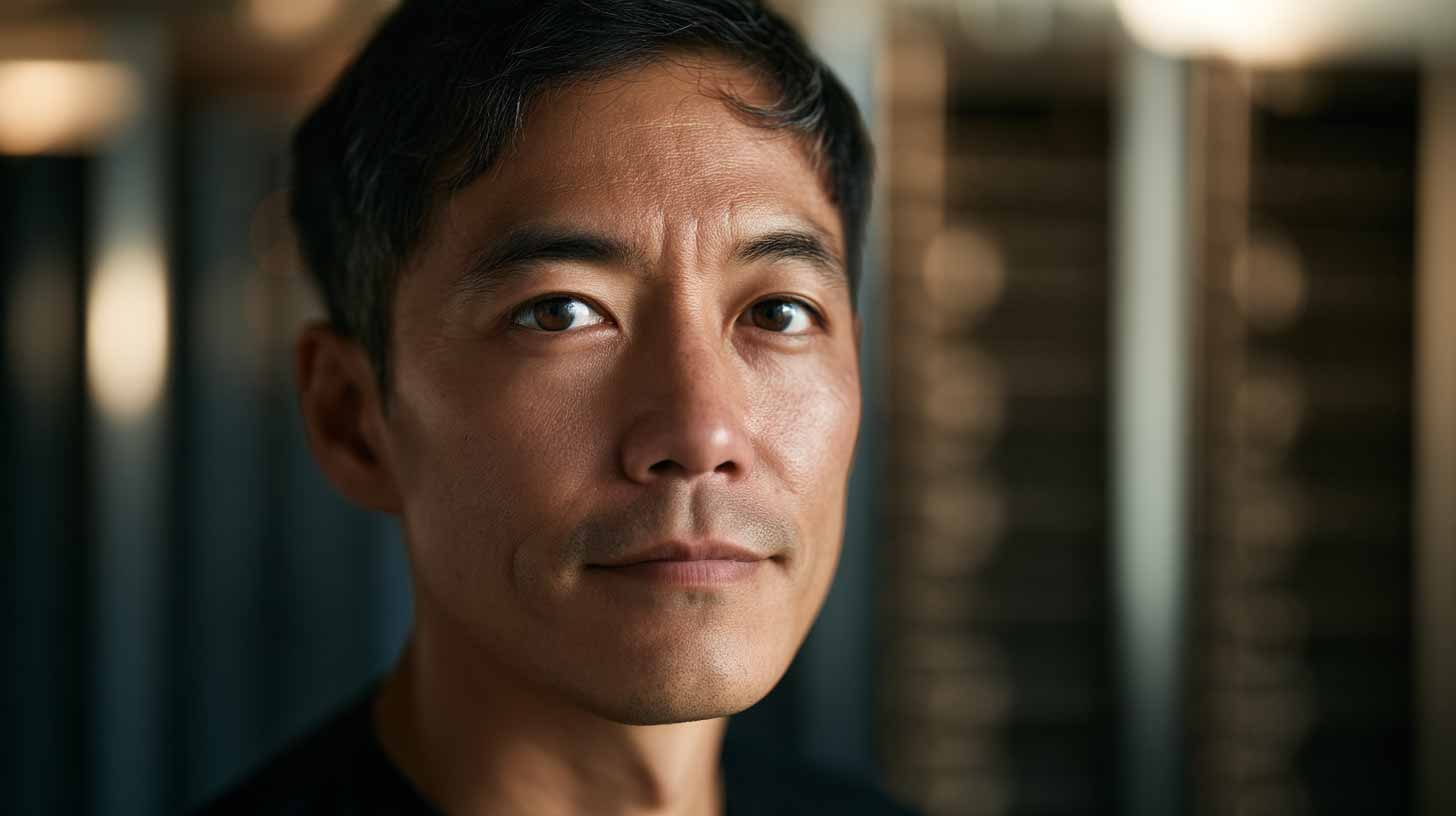
close-up portrait of a professional Asian data center engineer standing beside a high-performance AI GPU server rack, head and shoulders filling most of the frame, server racks softly blurred in the background, 85mm lens, shallow depth of field, photorealistic --ar 16:9 --stylize 100

3. Medium Close-Up|中近景

胸部以上。比特寫多一點環境資訊,人物仍是絕對主角。訪談、CEO Message、AI Avatar、企業影片最常看到它。
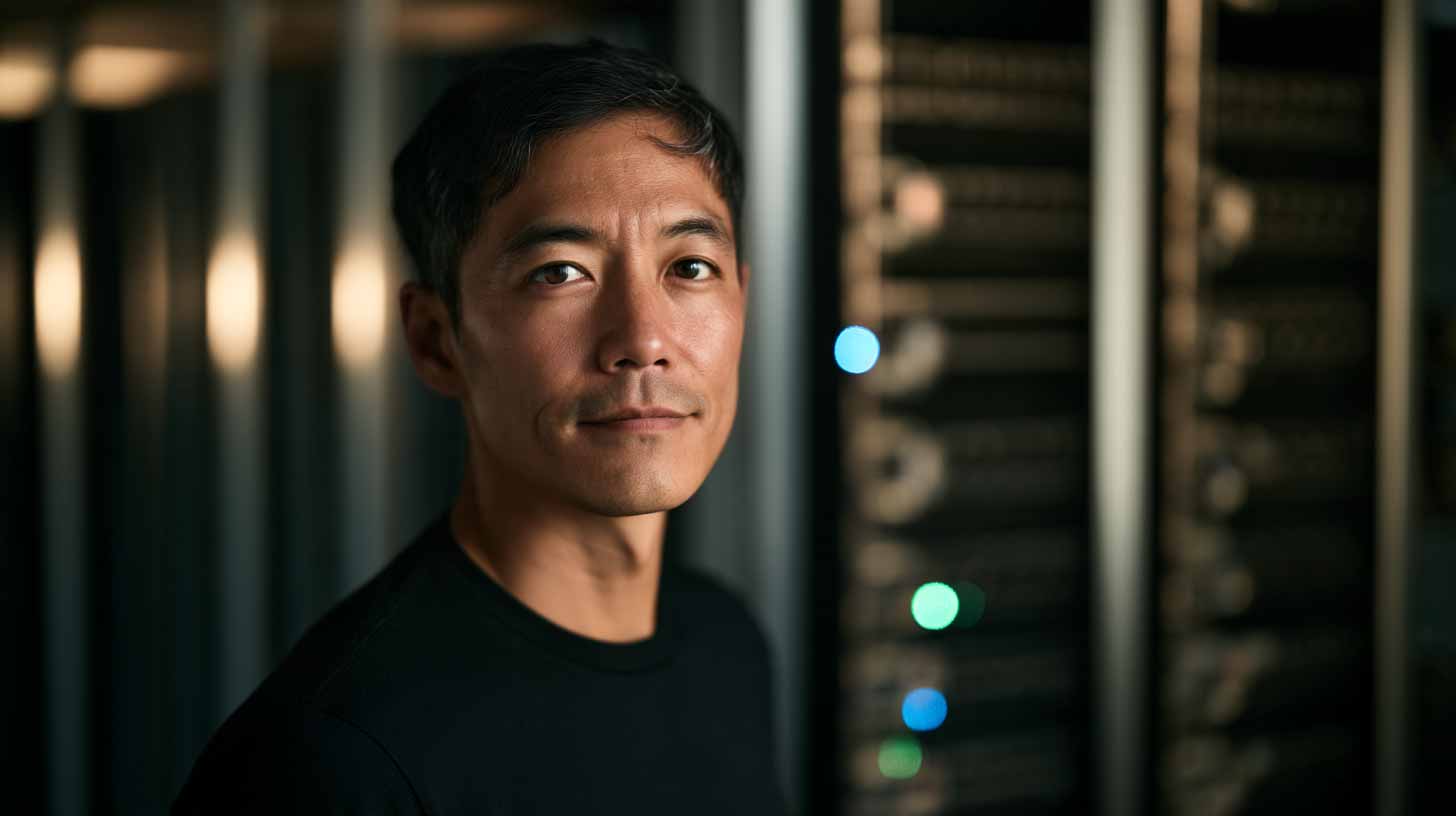
medium close-up of a professional Asian data center engineer standing beside a high-performance AI GPU server rack, framed from chest upward, balanced corporate composition, 50mm lens, natural shallow depth of field, photorealistic --ar 16:9 --stylize 100

4. Medium Shot|中景

腰部以上,臉、手勢與部分環境都看得清楚。比中近景更容易呈現肢體語言,適合商務人物、工程師操作設備、教學與團隊互動。
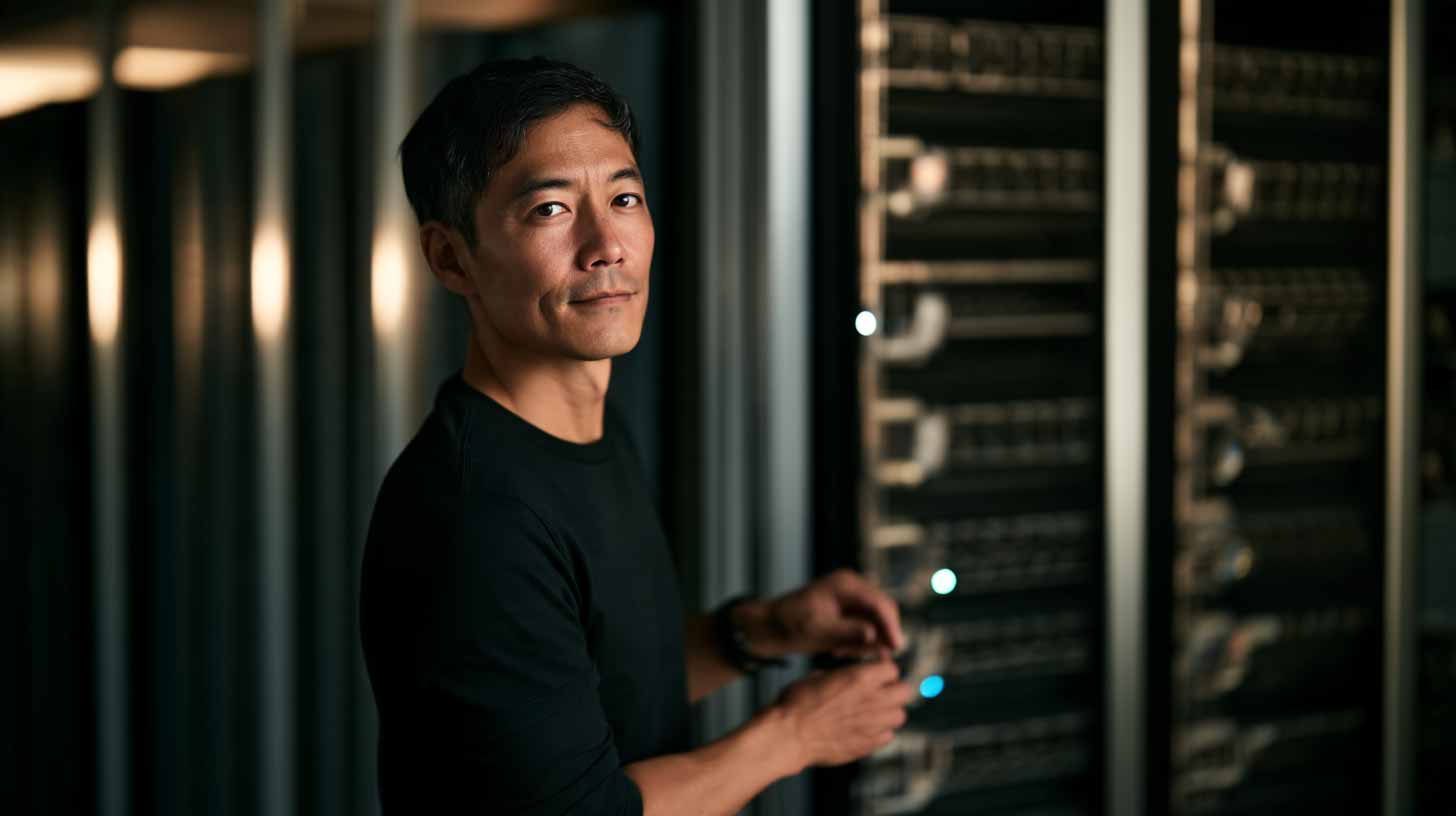
medium shot of a professional Asian data center engineer standing beside a high-performance AI GPU server rack, framed from waist upward, hands naturally visible near the server control panel, 50mm lens, photorealistic --ar 16:9 --stylize 100

5. Medium Wide Shot|中遠景

膝蓋以上。人物還是焦點,但環境開始變重要,適合工程師加設備、人物加機器人這類組合。
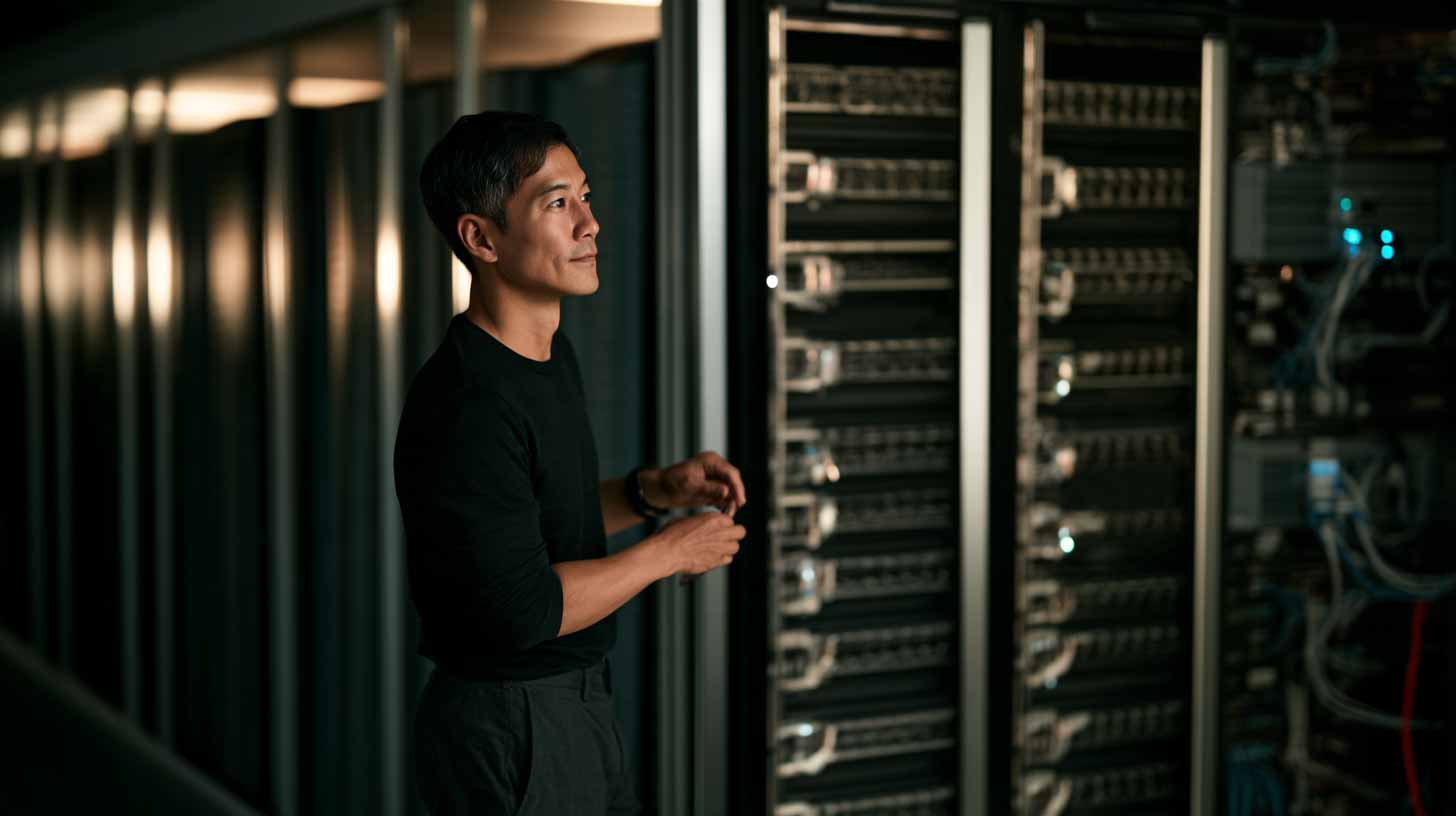
medium wide shot of a professional Asian data center engineer standing beside a high-performance AI GPU server rack, framed approximately from the knees upward, surrounding server infrastructure clearly visible, 35mm lens, photorealistic --ar 16:9 --stylize 100

6. Cowboy Shot|牛仔鏡頭

從大腿中段往上取景,介於中景與全身之間。名稱來自西部電影:鏡頭要同時拍到牛仔的臉、身體、腰部和槍套。拿來拍英雄角色、科技主管、AI 工程師,氣勢很夠。
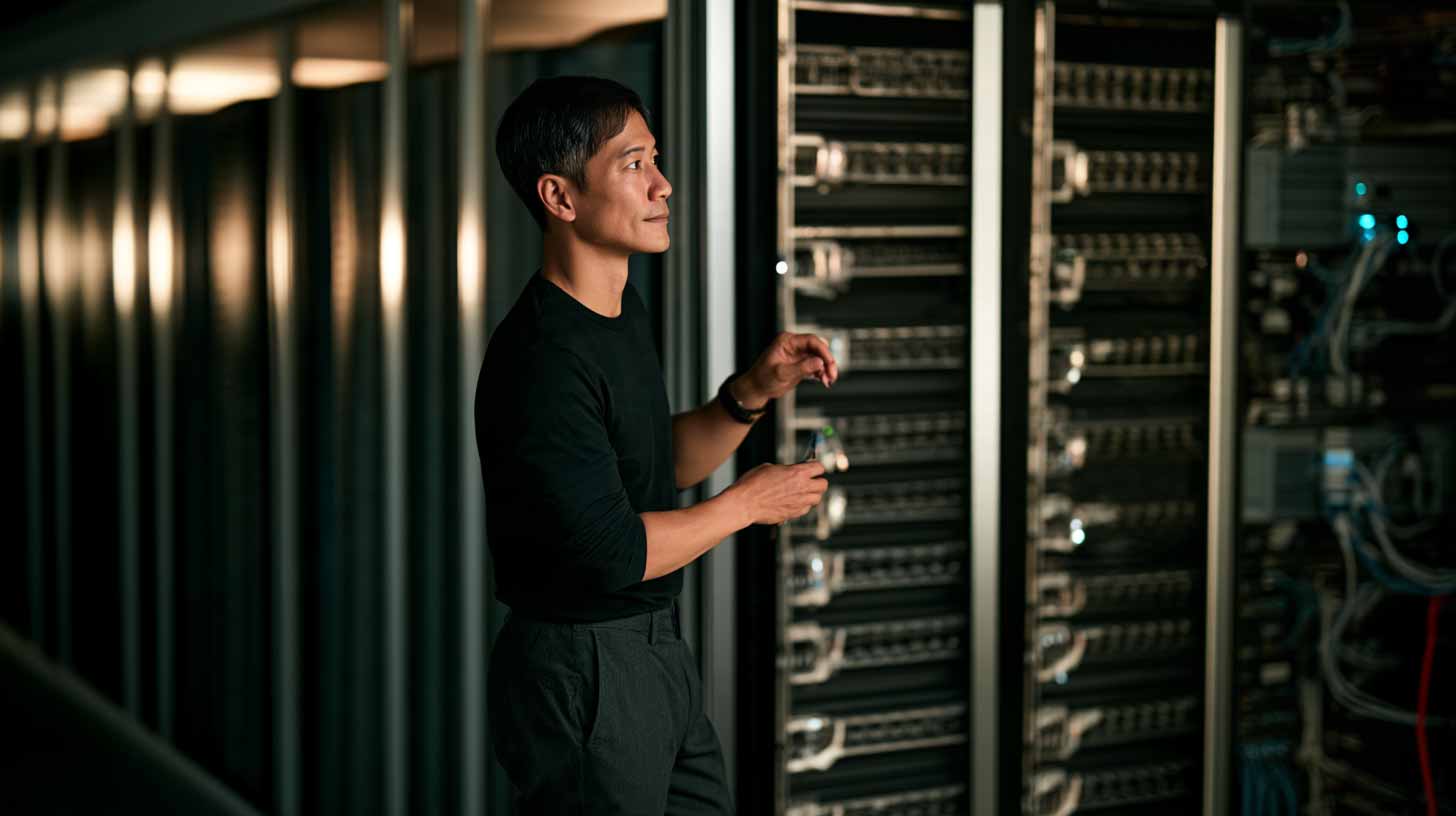
cowboy shot of a professional Asian data center engineer standing beside a high-performance AI GPU server rack, framed from mid-thigh upward, confident professional stance, hands and server control panel clearly visible, 50mm lens, photorealistic --ar 16:9 --stylize 100

7. Full Shot|全身鏡頭

頭到腳完整入鏡,上下還會留一點空間。要看完整服裝、身體姿態、人與設備的比例,或是機器人設計,就用它。
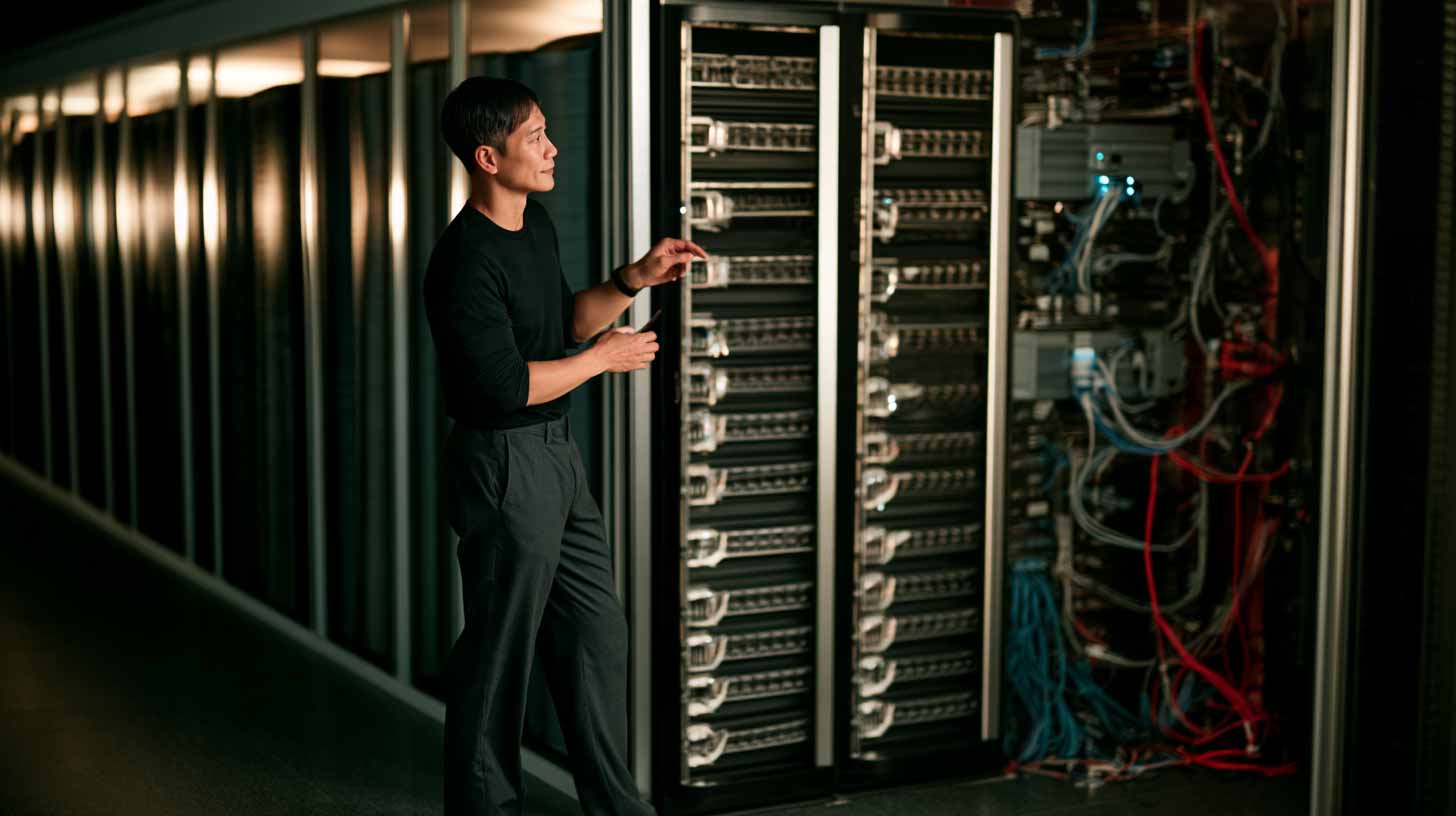
full-body shot of a professional Asian data center engineer standing beside a high-performance AI GPU server rack, entire body visible from head to toe, full server rack clearly visible, 35mm lens, photorealistic --ar 16:9 --stylize 100

8. Wide Shot|遠景/廣景

人物依然看得清楚,但畫面納入大量環境,人和環境同等重要。資料中心、AI Lab、工廠、智慧城市、半導體廠,用它讓觀眾理解人物身處的空間。
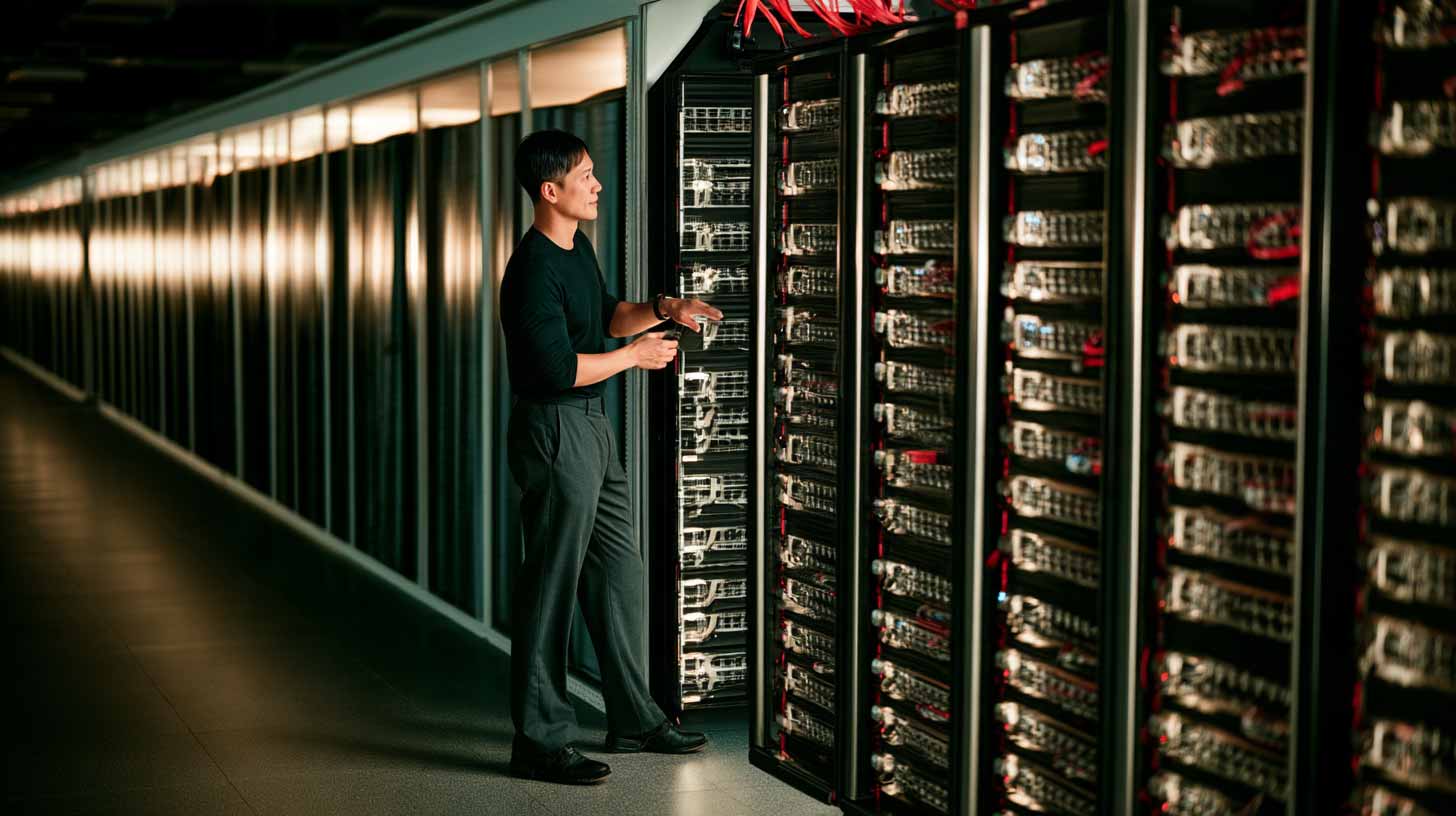
wide shot of a professional Asian data center engineer standing inside a massive hyperscale AI data center, engineer appearing relatively small beside rows of GPU server racks, strong symmetrical aisle composition, 24mm wide-angle lens, photorealistic --ar 16:9 --stylize 100

9. Extreme Wide Shot|極遠景/大遠景

人物只佔畫面很小一塊,甚至看不清表情。真正的主角是環境與規模,Hyperscale Data Center、大型 AI Factory、科幻世界、建築與大自然都適合。
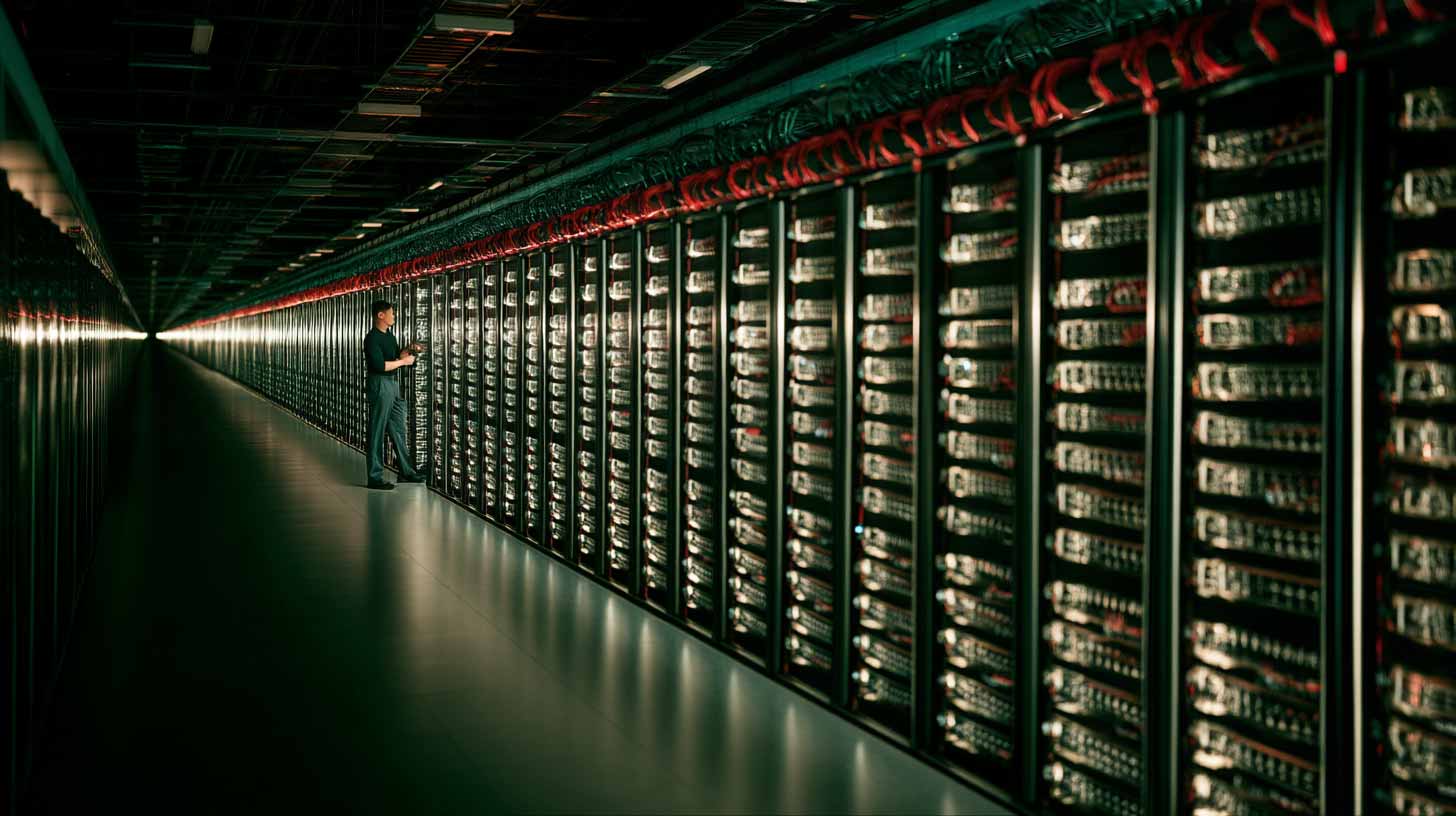
extreme wide shot of a vast hyperscale AI data center interior, a professional Asian data center engineer appearing very small in the distance among endless rows of GPU server racks, monumental scale, dramatic depth, 20mm ultra-wide lens, photorealistic --ar 16:9 --stylize 100

10. Establishing Shot|場景建立鏡頭

它通常用 Wide 或 Extreme Wide 拍,但重點在功能,不在大小:回答觀眾「這個故事發生在哪裡」。影片開場、場景切換、新地點出現、新章節開始,都是它的位置。
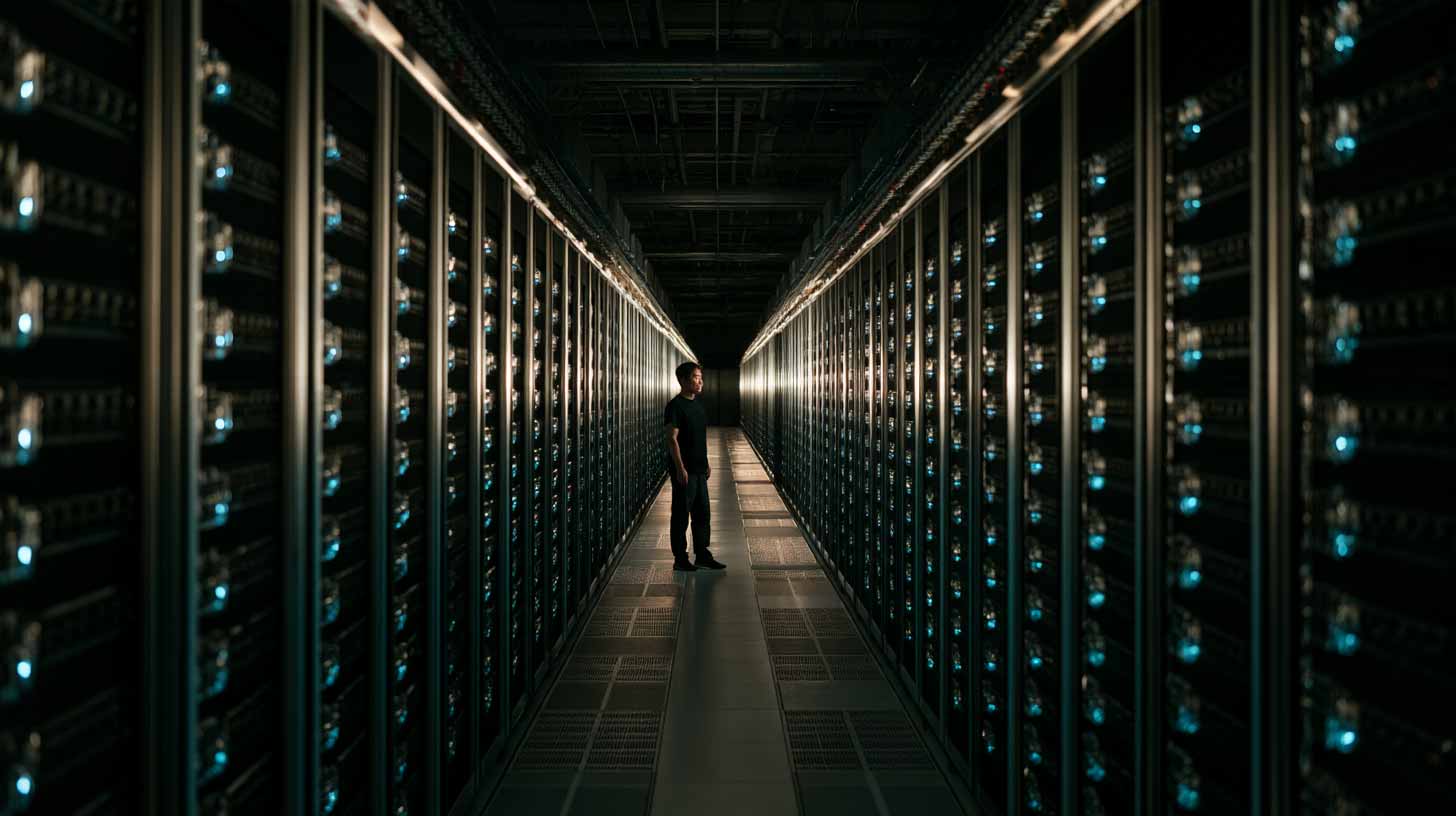
establishing shot of a massive hyperscale AI data center interior, long symmetrical aisles filled with high-performance GPU server racks, a professional Asian data center engineer visible as a small figure, clearly introducing the scale and location, 24mm wide-angle lens, photorealistic --ar 16:9 --stylize 100
04 總結

景別變化一次看

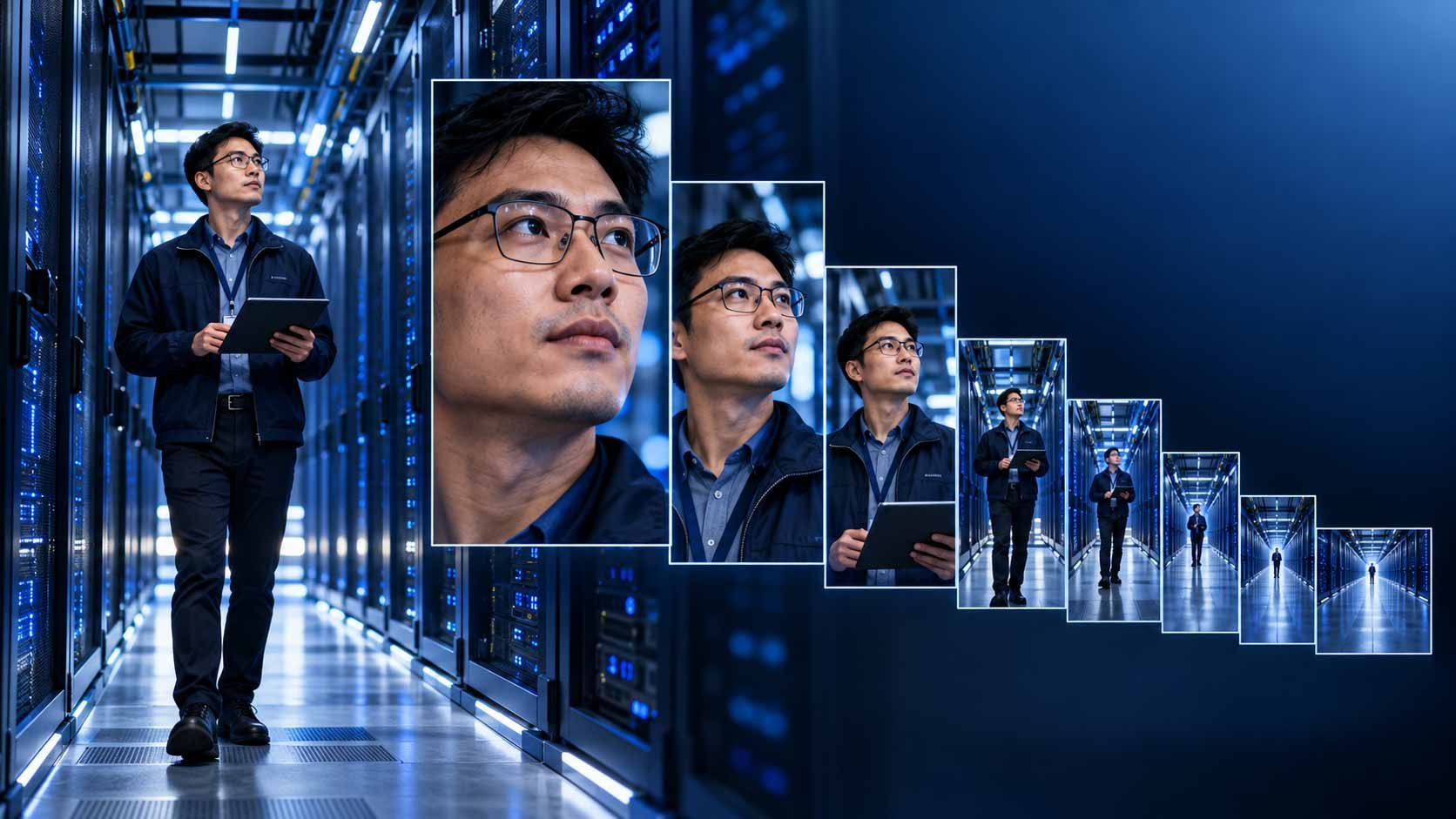
人物位置不動,景別由近到遠大致是:

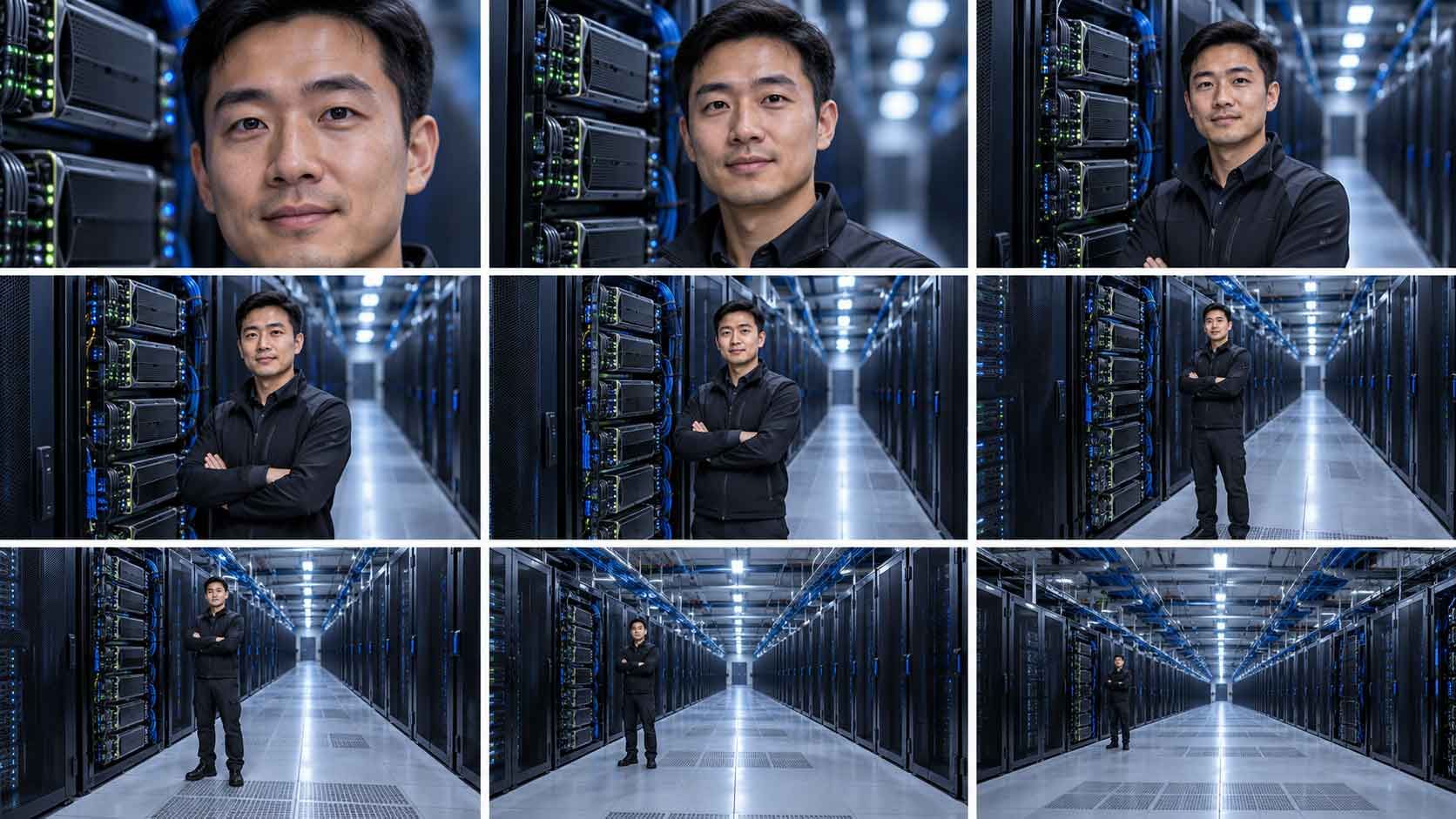
極特寫(眼睛、細節)→ 特寫(臉部)→ 中近景(胸部以上)→ 中景(腰部以上)→ 中遠景(膝蓋以上)→ 牛仔鏡頭(大腿中段以上)→ 全身(完整人物)→ 遠景(人物加環境)→ 極遠景(環境為主、人物很小)

05 範例

用 Midjourney 做對照圖:只改景別,其他全部固定

如果你想生成同一個人物、同一服裝、在同一個場景、同一光線。唯一要變的,只有景別的圖。

可以先建立一個基礎 Prompt:

[ medium shot of ] a professional Asian data center engineer wearing a dark navy technical jacket, standing beside the same high-performance AI GPU server rack inside a modern hyperscale data center, eye-level perspective, subtle cool white LED lighting, premium enterprise technology photography, cinematic realism, photorealistic --ar 16:9 --stylize 100

選擇你想要變化景別的那張圖,用『Edit』的功能,進行想要的景別改變:

只要在 Prompt 最前面替換這幾個詞:extreme close-up、close-up、medium close-up、medium shot、medium wide shot、cowboy shot、full-body shot、wide shot、extreme wide shot。

06 FAQ

常見問題

Shot Size 和 Camera Angle 有什麼不同?
Shot Size 決定畫面看到多少,Camera Angle 決定從哪個位置看。這篇只談前者,所以對照圖才要把角度固定成 eye-level。

Establishing Shot 是不是就等於 Wide Shot?
不完全是。Wide Shot 講的是畫面大小,Establishing Shot 講的是用途:交代地點。它常用 Wide 或 Extreme Wide 來拍。

Prompt 的景別要放哪裡?
放最前面最穩,也方便你只換這一個詞就做出整套對照景別。

一句話記住

Close-Up 看情緒,Medium Shot 看人物,Wide Shot 看環境,Extreme Wide Shot 看世界。

下次寫 Prompt,先用這句話決定景別,再補其他細節。

#ShotSize #景別 #AI影片 #Midjourney #鏡頭語言 #AI影像 #生成式AI